
Note
Go to the end to download the full example code.
Rectangle: Structured Mesh with Gmsh API#
This script generates a structured mesh for a rectangular geometry using the Gmsh API, instead of relying on a .geo file input as shown in the .geo File: Rectangle example.
The mesh is created using the rectangle_mesh function, which can save the mesh in either .vtk or .msh format. Afterward, the mesh is loaded and visualized with PyVista.
#
#            *-----------------*  /\.
#            |                 |  |
#            |        *(0,0)   |  Ly
#            |                 |  |
#            *-----------------*  \/.
#     |Y     <--------Lx------>
#     |
#     *---X
Rectangle Mesh#
The mesh is generated from rectangle_mesh function.
Import necessary libraries#
import gmsh
import pyvista as pv


def rectangle_mesh(Lx, Ly, ndiv_x, ndiv_y, output_filename):
    """
    Generate a structured rectangular mesh using Gmsh and save it to a file.

    Parameters
    ----------
    Lx : float
        Length of the rectangle in the x-direction.
    Ly : float
        Length of the rectangle in the y-direction.
    ndiv_x : int
        Number of divisions along the x-direction.
    ndiv_y : int
        Number of divisions along the y-direction.
    output_filename : str
        Name of the output file where the mesh will be saved.

    Returns
    -------
    None
    """

    # Initialize gmsh
    gmsh.initialize()

    # Create a new model
    gmsh.model.add("rectangle")

    # Inputs
    gridsize_x = Lx / int(ndiv_x)
    gridsize_y = Ly / int(ndiv_y)

    # Geometry
    p1 = gmsh.model.geo.addPoint(-Lx / 2, -Ly / 2, 0, min(gridsize_x, gridsize_y))
    p2 = gmsh.model.geo.addPoint(Lx / 2, -Ly / 2, 0, min(gridsize_x, gridsize_y))
    p3 = gmsh.model.geo.addPoint(Lx / 2, Ly / 2, 0, min(gridsize_x, gridsize_y))
    p4 = gmsh.model.geo.addPoint(-Lx / 2, Ly / 2, 0, min(gridsize_x, gridsize_y))

    l1 = gmsh.model.geo.addLine(p1, p2)  # bottom line
    l2 = gmsh.model.geo.addLine(p2, p3)  # right line
    l3 = gmsh.model.geo.addLine(p3, p4)  # top line
    l4 = gmsh.model.geo.addLine(p4, p1)  # left line

    line_loop = gmsh.model.geo.addCurveLoop([l1, l2, l3, l4])
    surface = gmsh.model.geo.addPlaneSurface([line_loop])

    # Transfinite surface
    gmsh.model.geo.mesh.setTransfiniteSurface(surface)
    gmsh.model.geo.mesh.setRecombine(2, surface)

    # Set transfinite lines for structured mesh with different divisions
    gmsh.model.geo.mesh.setTransfiniteCurve(l1, ndiv_x + 1)
    gmsh.model.geo.mesh.setTransfiniteCurve(l2, ndiv_y + 1)
    gmsh.model.geo.mesh.setTransfiniteCurve(l3, ndiv_x + 1)
    gmsh.model.geo.mesh.setTransfiniteCurve(l4, ndiv_y + 1)

    # Synchronize to process the CAD kernel and prepare for mesh generation
    gmsh.model.geo.synchronize()

    # Generate mesh
    gmsh.model.mesh.generate(2)

    # Save to file
    gmsh.write(output_filename)

    # Finalize gmsh
    gmsh.finalize()


vtk_file = "mesh_10_5.vtk"
Lx = 10.0
Ly = 5.0
ndiv_x = 10
ndiv_y = 5
rectangle_mesh(Lx, Ly, ndiv_x, ndiv_y, vtk_file)

print(f"Mesh successfully written to {vtk_file}")


file_vtk = pv.read(vtk_file)
file_vtk.plot(cpos='xy', color='white', show_edges=True)
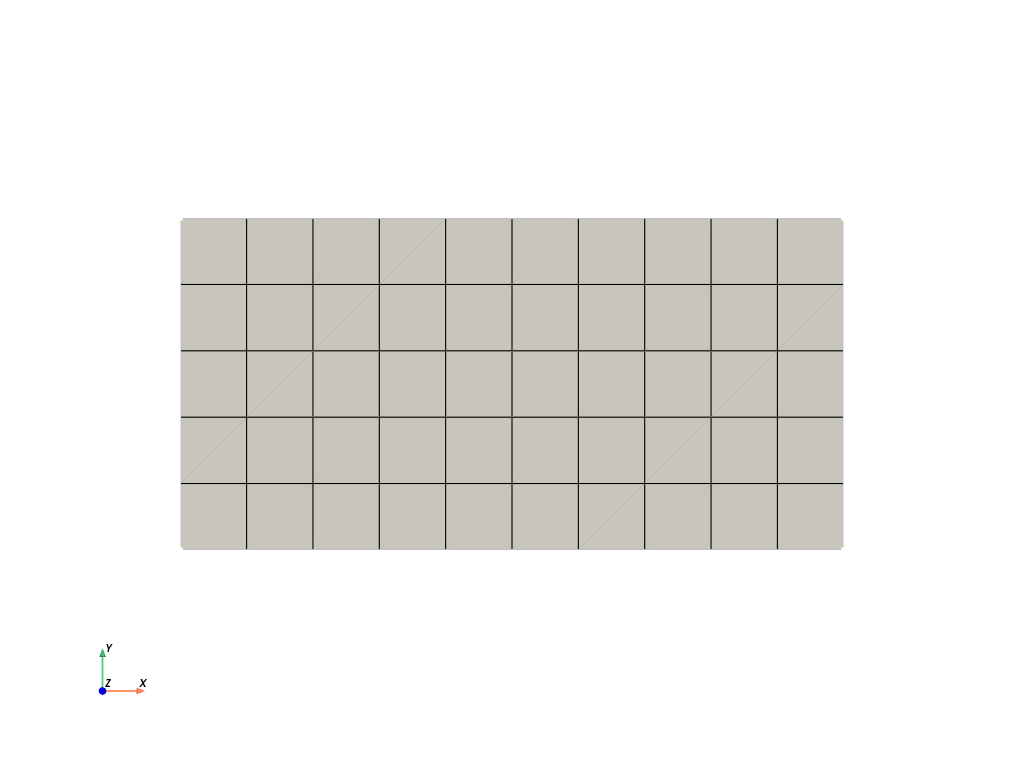
Mesh successfully written to mesh_10_5.vtk
Total running time of the script: (0 minutes 0.168 seconds)